





Welcome to the QUT ERM system
This is the QUT ERM Splash page where new announcements will be periodically updated
- For detailed guidance on Biosafety and Research Ethics search the QUT HiQ/Digital Workplace - Research ethics and integrity
- Visit the ERM FAQs page to review solutions for frequently asked questions
- Visit the ERM HELP page for guidance on accessing, navigating and completing applications in ERM

The variation process in ERM has changed
You can now unlock your approved projects via a new ‘Unlock for Variation’ button.

Key notes:
- Only project owners or collaborators with the role 'All permissions (Including Submit)' on an application will be able to unlock and then submit main applications for variation.
- The old variation request subforms will be turned off and no longer able to be submitted.
- Details you previously entered into the variation request subform about your variation are now entered in a new ‘Variations’ section at the top of your main application.
- Old unsubmitted variation Request subforms should be deleted.
Please visit the ERM HELP Page under the section 'Variations (amend an approved application)' for guidance on the new variations process.
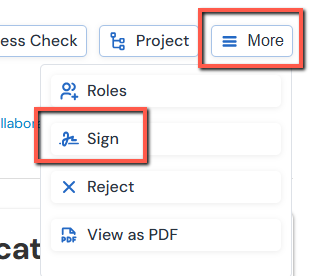
Extra action buttons hiding under the 'More' dropdown
Please be aware you may have to look under the 'More' dropdown to find other buttons.
This is an example image of how to find the 'Sign' button under the 'More' dropdown list when signing an application.
The ERM User Interface (UI) has been updated
Including improvements to accessibility, contrast and navigation. This is the first stage of a raft of UI improvements coming from the vendor of ERM.
New Look 'Work Area'
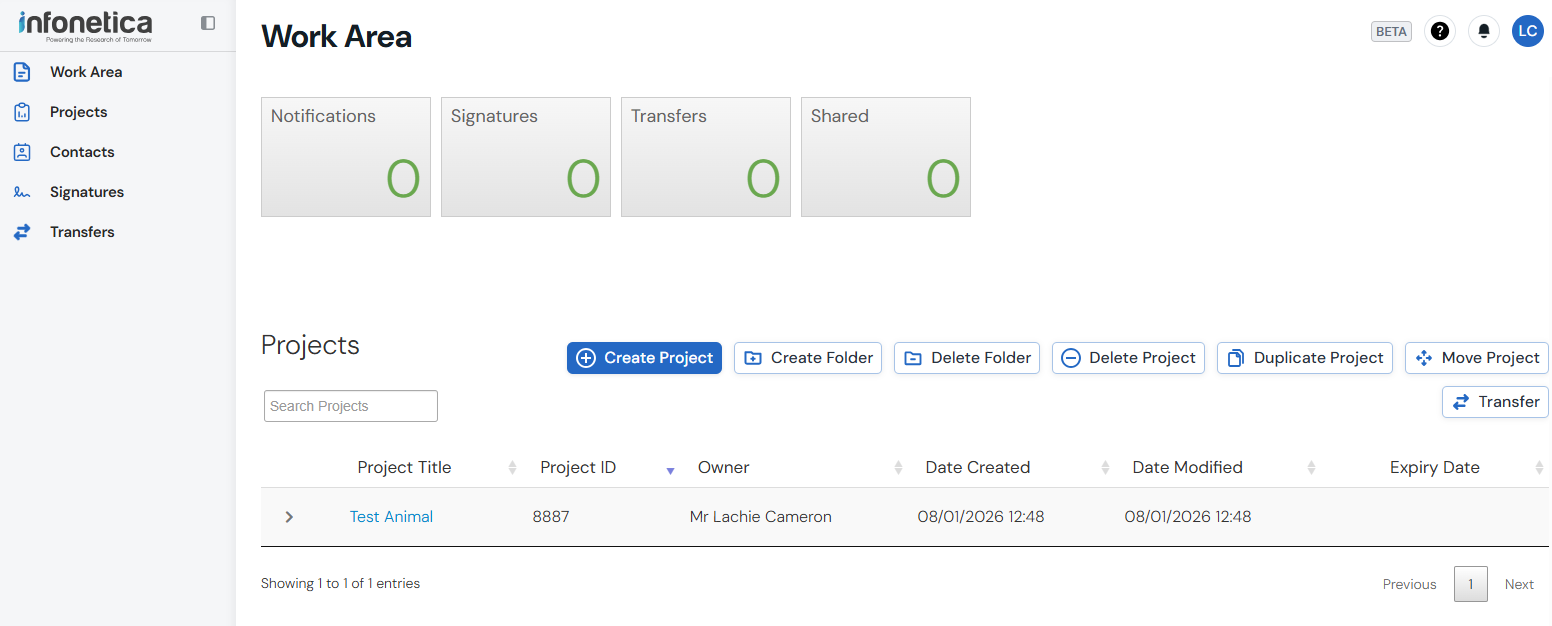
Here are the key changes to note for applicants using ERM for submitting forms.
These changes are continued across all levels of the ERM platform for a consistent user experience.
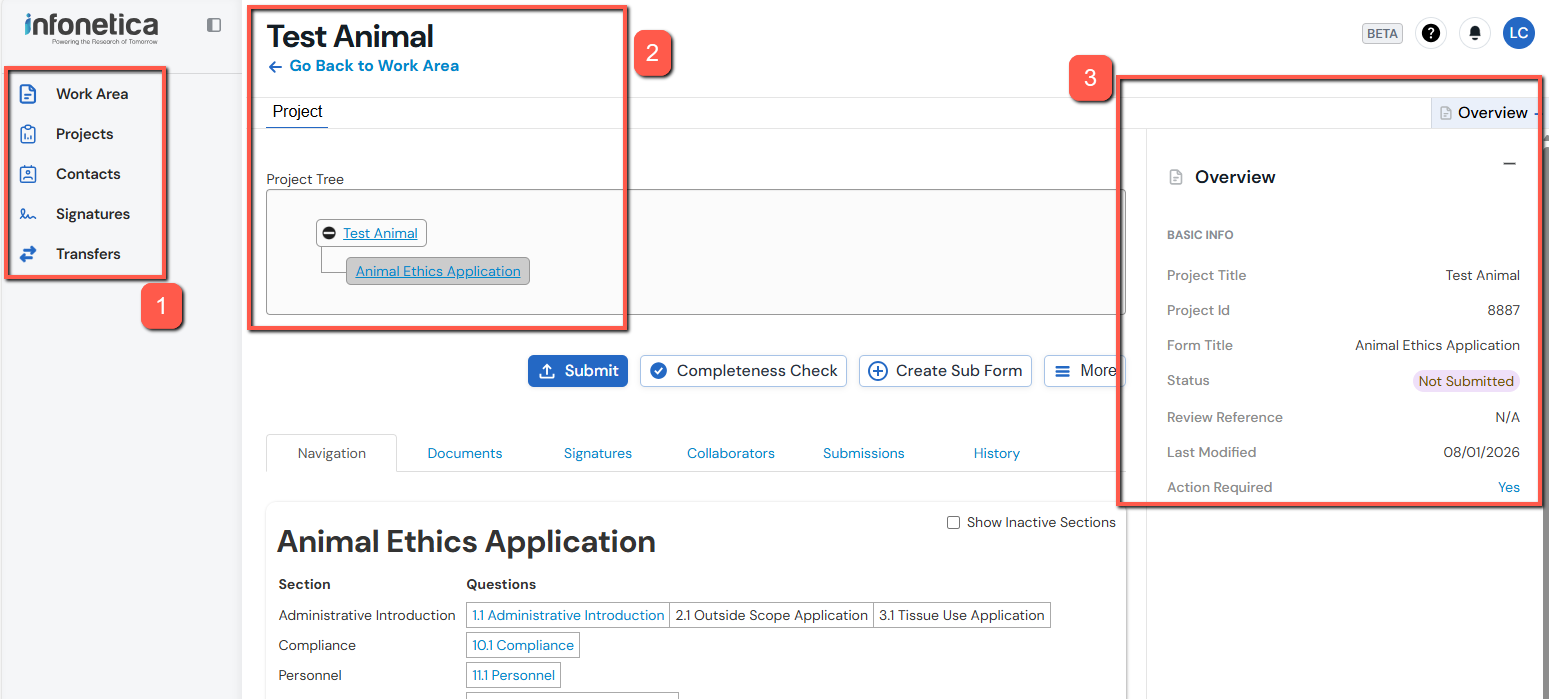
What is new:
1. New navigation pane on the left-hand side
2. New text fonts and changes to contrast level to make reading easier
3. When working in your application form there is a new 'Overview' bar on the right-hand side that displays key information about your application.
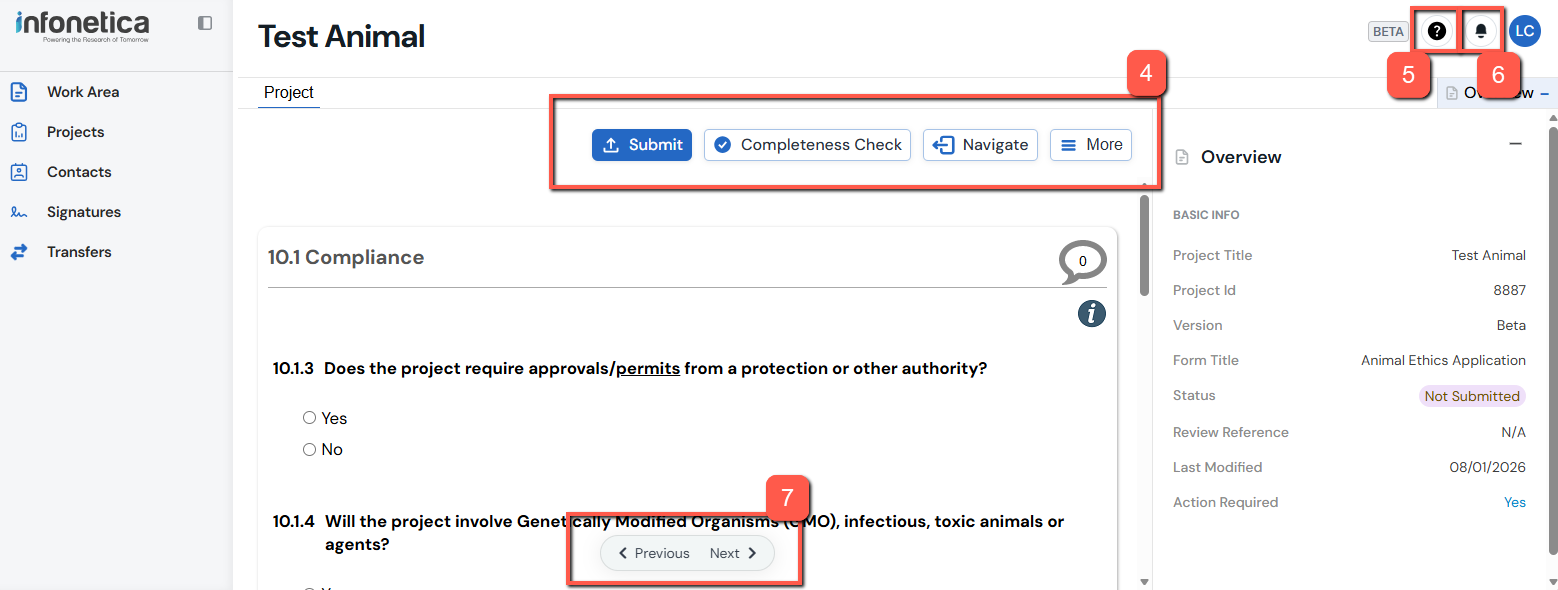
What has moved:
4. The action buttons that are displayed on the left-hand side of the page have moved to the upper middle area of each page in line with the page content
5. 'Contact Information, Help, FAQ, Templates, About' pages now in the top right-hand corner of the page (QUESTION MARK ICON)
6. 'Notifications' have moved to the top right-hand corner of the page (BELL ICON)
7. The 'Previous' and 'Next' page buttons now
-
- appear at the bottom of the page when navigating in an applications page section; and
- will float in place as you scroll; and
- will always be visible.
The images on the ERM HELP page will be updated in time inline with the new UI.
